How to Customize GB WhatsApp Fonts Bubbles and Chat Backgrounds
GB WhatsApp gives you complete control over the visual appearance of your chats, from font styles and sizes to chat bubble colors and custom backgrounds. This level of customization is simply not available in the official WhatsApp and is one of the main reasons users switch to GB WhatsApp. In this guide, we will show you how to fully personalize your GB WhatsApp experience in 2026.
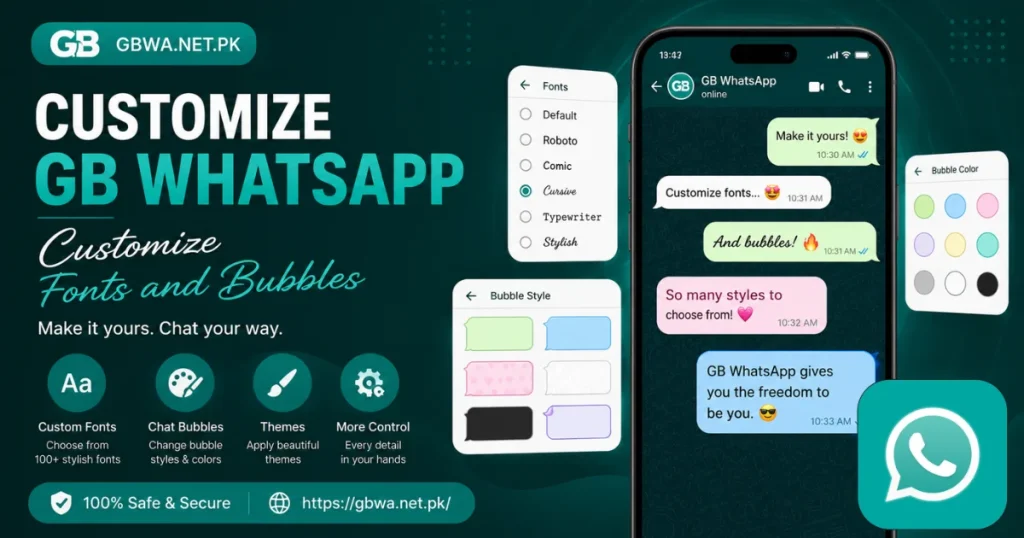
What Customization Options Does GB WhatsApp Offer
GB WhatsApp offers a wide range of customization options that go far beyond what the official app provides. You can change fonts, bubble styles, colors, wallpapers, and even the overall layout of the app. These options allow you to create a completely unique and personalized messaging experience that reflects your personal style.
Why Customize GB WhatsApp
Customizing your messaging app makes it more enjoyable and personal to use every day. GB WhatsApp gives you tools that no other mainstream messaging app offers for free. Here are the top reasons users love customizing GB WhatsApp:
- Make your app look unique and different from everyone else
- Improve readability with custom fonts and text sizes
- Create a visually pleasant environment for daily chatting
- Match the app style to your personal aesthetic preferences
- Express your creativity through your messaging interface
Requirements Before You Start
Before customizing your GB WhatsApp, make sure the app is fully updated. Some advanced customization features are only available in newer versions. Check the requirements below:
| Requirement | Details |
|---|---|
| App Version | GB WhatsApp Latest Version 2026 |
| Device | Android Smartphone |
| Internet | Required for Downloading Themes and Fonts |
| Source | Download from GBWA.NET.PK |
How to Change Fonts in GB WhatsApp
Changing the font in GB WhatsApp is a simple process that instantly refreshes the look of all your chats. GB WhatsApp offers multiple font styles to choose from. Follow these steps:
- Open GB WhatsApp and go to GB Settings
- Tap on Universal
- Select Fonts
- Browse the available font styles
- Tap on any font to preview it
- Select your preferred font and tap Apply
- The new font will appear immediately across the entire app
How to Change Chat Bubble Style and Color
Chat bubbles are the colored boxes that contain your messages in a chat. GB WhatsApp lets you change their shape, color, and style completely. Here is how:
- Go to GB Settings
- Tap on Chats
- Select Bubble Style or Chat Bubble Settings
- Choose from the available bubble shapes and styles
- Pick your preferred color for incoming and outgoing bubbles separately
- Apply the changes and go back to your chat to see the new look
How to Set a Custom Chat Background
Setting a custom background for your chats adds a personal touch to every conversation. GB WhatsApp allows you to set different wallpapers for different chats or one global background. Follow these steps:
- Open any chat in GB WhatsApp
- Tap the three dots menu at the top right
- Select Wallpaper or Chat Background
- Choose from the built in wallpapers or select a photo from your gallery
- Adjust and crop the image if needed
- Tap Apply to set it as the chat background
GB WhatsApp Customization Options Overview
| Feature | GB WhatsApp | Official WhatsApp |
|---|---|---|
| Custom Fonts | Yes | No |
| Chat Bubble Colors | Yes | No |
| Custom Chat Backgrounds | Yes | Yes Limited |
| App Wide Theme Change | Yes | No |
| Individual Chat Wallpaper | Yes | Yes |
Common Issues and Fixes
Font Not Changing After Applying
- Make sure you tapped Apply after selecting the font
- Restart GB WhatsApp to apply the font change fully
- Update to the latest version if fonts are not loading properly
Chat Background Reverting to Default
- Make sure you saved the wallpaper setting before exiting
- Check if the setting applies to individual chats or all chats
- Reapply the background after updating the app if needed
Frequently Asked Questions
Conclusion
GB WhatsApp gives you an unmatched level of visual customization that transforms your messaging experience into something truly personal. Whether you want to change your fonts, redesign your chat bubbles, or set a beautiful background, GB WhatsApp makes it all possible with just a few taps. Download the latest version from GBWA.NET.PK and start designing your perfect WhatsApp experience in 2026.


